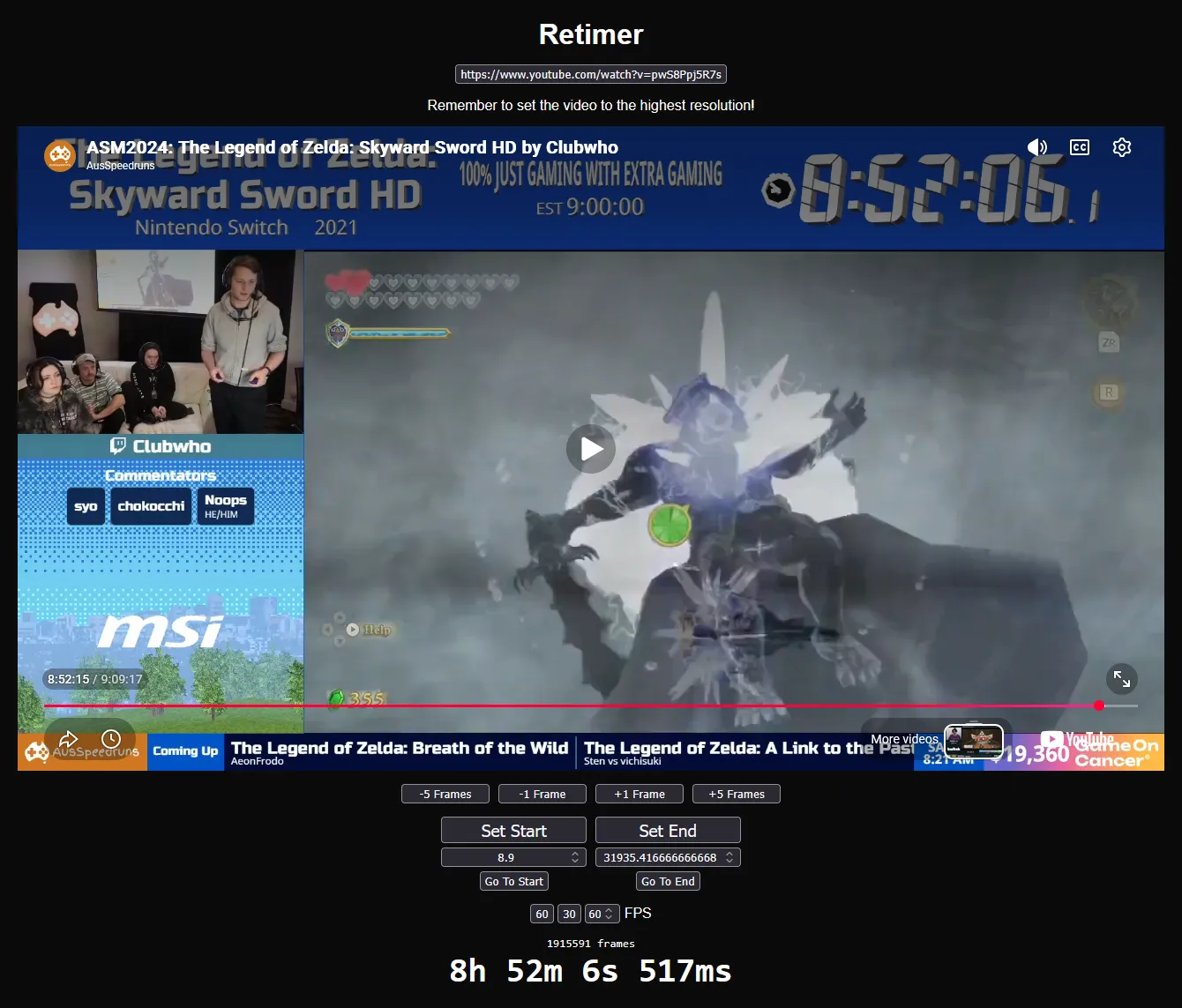
Retimer is a basic website where you can put in a YouTube URL or Video ID and use the interface provided to retime a speedrun with an accuracy of 1 frame.
Source code: https://github.com/EwanLyon/retimer
Why
It was developed because a friend had issues with some people not retiming runs properly. They even made a video showing how to retime a run. I was appalled by it though. Required downloading a random piece of software, using YouTube to get the frametiming, copying the debug info of the frame, finding a specific value, then pasting it into the random software.
I took one look at it and went: "You can do all of that in a browser".
So that is what I did!
The YouTube API did not have any way to scrub frame by frame but it does have the ability to get the current time and set the current time. So I just add or subtract 1 / 60 to the time. I am worried that this could skip a frame but so far it looks good.
Usage
- Get the video URL
- Paste the video URL in the top box
- Find the exact start time using the usual YouTube navigation and then the frame advancing and rewind buttons
- Press "Set Start"
- Find the exact end time using the same method you used to find the exact start
- Press "Set End"
- Ensure the FPS is correctly set
- Done!
You can click on the final time to get a format like "H:MM:SS.mmm".
The URL is also stateful meaning you can easily share a URL.
Here as some form of validation, is the current (as of writing) SMB record holder which has a confirmed time of 4:54.299. https://ewanlyon.github.io/retimer/?video=gWerwfLe-MU&start=25.25&end=319.55&frameRate=60
The timer outputs the ms as 300 and I haven't quite tracked it down as to why. However, if you are complaining about a single millisecond, calm your farm.
I am fully aware of the alternative of downloading the VOD and counting the frames in video editing software and I believe that is the most accurate way to properly retime a video. This tool is just meant to be a much easier way to get a very good retime of a run.